
Download Firefox Environment Backup Extension – Browser Settings, Backup, Multi-Device Sync
Overview
The Firefox Environment Backup Extension is a specialized utility designed to preserve and restore Firefox browser configurations across different devices and installations. Its primary purpose is to ensure users maintain a consistent browsing experience, regardless of hardware changes, system reinstallation, or device transitions. This tool is particularly valuable for individuals who frequently set up new browser environments, manage multiple machines, or seek to minimize configuration downtime after system failures.
By backing up essential settings such as bookmarks, extensions, themes, and preferences, the extension acts as a safeguard against data loss and setup fatigue. It is ideal for power users, developers, and professionals who rely on a customized Firefox environment to streamline their workflow. The developer did not provide additional technical details about the origin or background of the extension, but its long-standing presence since 2012 indicates a stable and trusted role within the Firefox ecosystem.
Real-world use cases include restoring a meticulously configured browser after a clean OS install, transferring settings from a work laptop to a personal device, or ensuring continuity when upgrading to a new computer. In the broader app ecosystem, the extension fills a critical gap in browser management tools by offering a focused, lightweight solution for environment preservation—without relying on cloud-based sync services.
Key Features & Functionality
The Firefox Environment Backup Extension offers a suite of features tailored to secure and manage browser configurations efficiently. Each functionality is designed with user control and simplicity in mind, making it accessible even to non-technical users.
- Easy Backup Process: Users can initiate a full or partial backup with minimal interaction. The interface guides users through the selection of specific settings to include, ensuring a streamlined experience without requiring advanced knowledge.
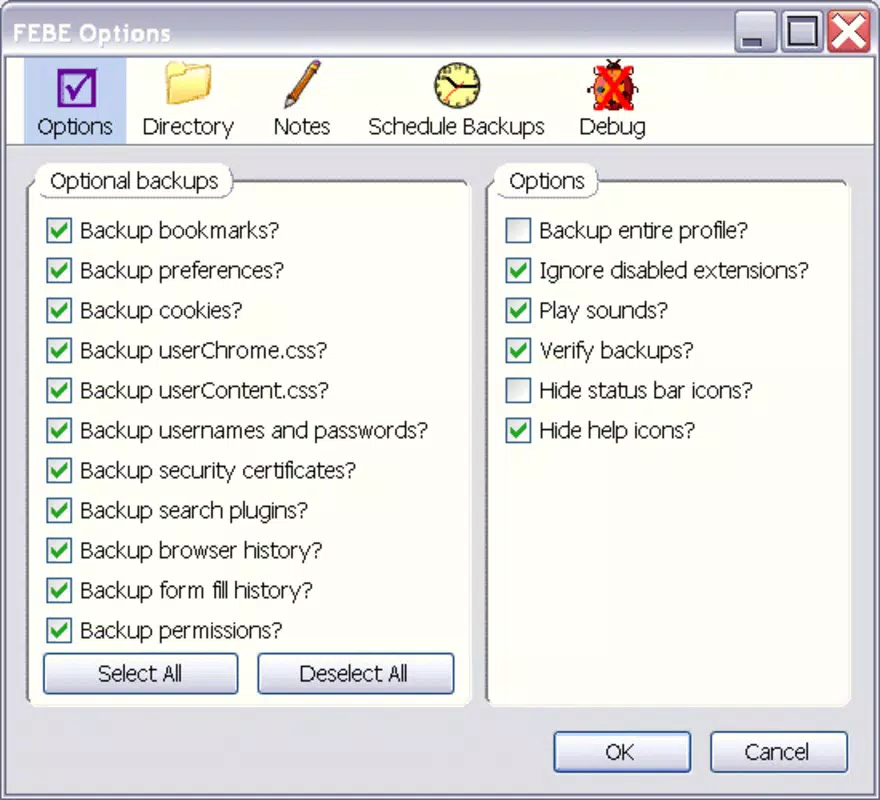
- Customizable Backup Options: The extension allows users to choose which components to back up—such as bookmarks, saved passwords, extensions, themes, and privacy settings—offering granular control over the restoration process.
- Multi-Device Support: Backups can be exported and restored on different machines, enabling seamless transitions between devices. This is especially useful for users who work across multiple computers or switch between personal and professional setups.
- Lifesaver for Configuration: For users who invest significant time customizing their Firefox environment, this extension provides peace of mind by ensuring that no effort is lost during system changes or reinstallations.
For example, a developer who has configured Firefox with specific extensions for debugging and a custom theme can back up their environment and restore it in minutes on a new machine. Similarly, a student transitioning from a school computer to a personal laptop can preserve their preferred browsing setup without manual reconfiguration.
Interface, UX & Performance
The Firefox Environment Backup Extension features a clean, minimalist interface that integrates directly into the Firefox browser’s add-on management system. Navigation is straightforward, with clear labels and intuitive workflows for initiating backups, selecting settings, and restoring configurations. The layout prioritizes usability, minimizing clutter while maintaining access to all core functions.
Users can expect consistent responsiveness across different device categories, including desktop and laptop systems. Although the developer did not list formal performance metrics, the extension operates without reported resource-heavy demands, suggesting efficient background processing. Stability is maintained during backup and restore operations, with no known crashes or data corruption issues reported in available documentation.
Performance is generally consistent with Firefox’s standard add-on behavior. The extension does not appear to interfere with browser speed or memory usage during normal operation. Responsiveness remains high even when handling large sets of bookmarks or multiple extensions. Users can initiate backups quickly and monitor progress in real time, with clear feedback on completion status.
Platform Compatibility & Technical Requirements
The Firefox Environment Backup Extension is designed to operate exclusively within the Firefox browser environment. It is compatible with both desktop and laptop systems running supported versions of Firefox. The developer did not specify minimum OS requirements or exact file size, nor did they provide detailed compatibility information for different operating systems.
Version details were not disclosed, and no information was provided about required hardware specifications or installation prerequisites. Compatibility with mobile versions of Firefox was not confirmed. The extension relies on Firefox’s add-on architecture and does not require external dependencies.
Users are advised to ensure their Firefox installation is up to date to maintain optimal functionality. The extension may not work as intended on outdated or unsupported Firefox versions.
Pros and Cons
Pros
- Simple, user-friendly interface for managing browser backups
- Granular control over which settings to include in backups
- Supports seamless configuration transfer across multiple devices
- Lightweight and efficient with minimal impact on browser performance
- Long-standing presence in the Firefox ecosystem since 2012
Cons
- Developer did not provide detailed technical specifications or file size
- Compatibility with mobile Firefox versions was not confirmed
- No official update frequency or release notes were published
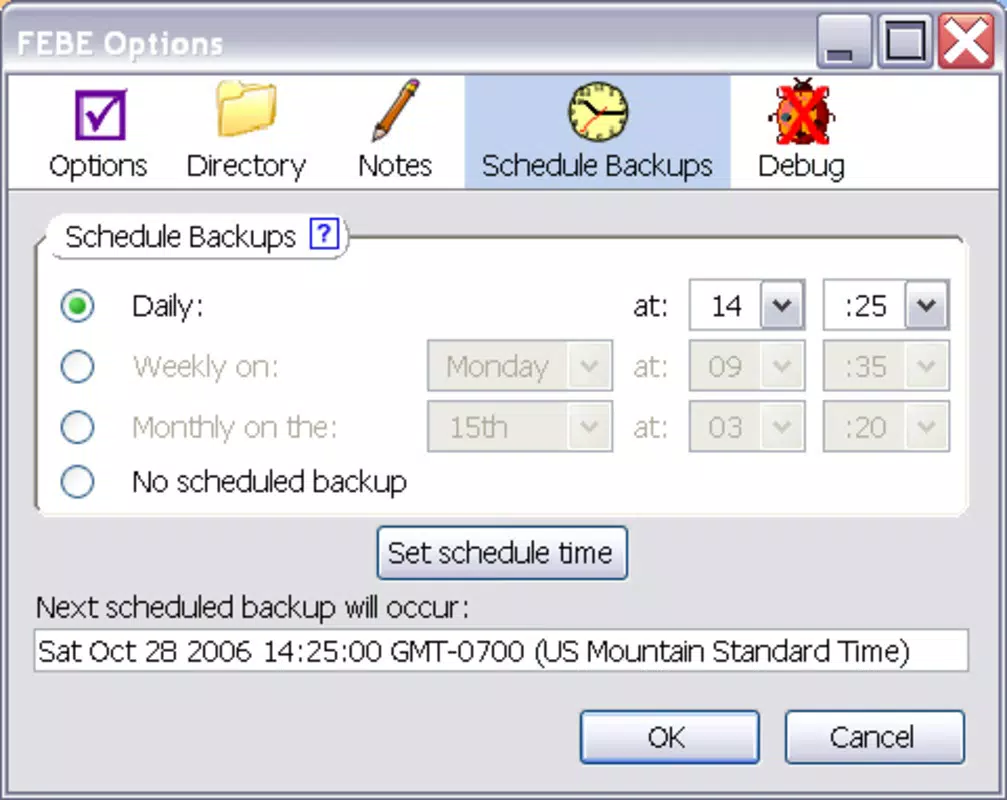
- Relies entirely on user-initiated backups; no automatic scheduling
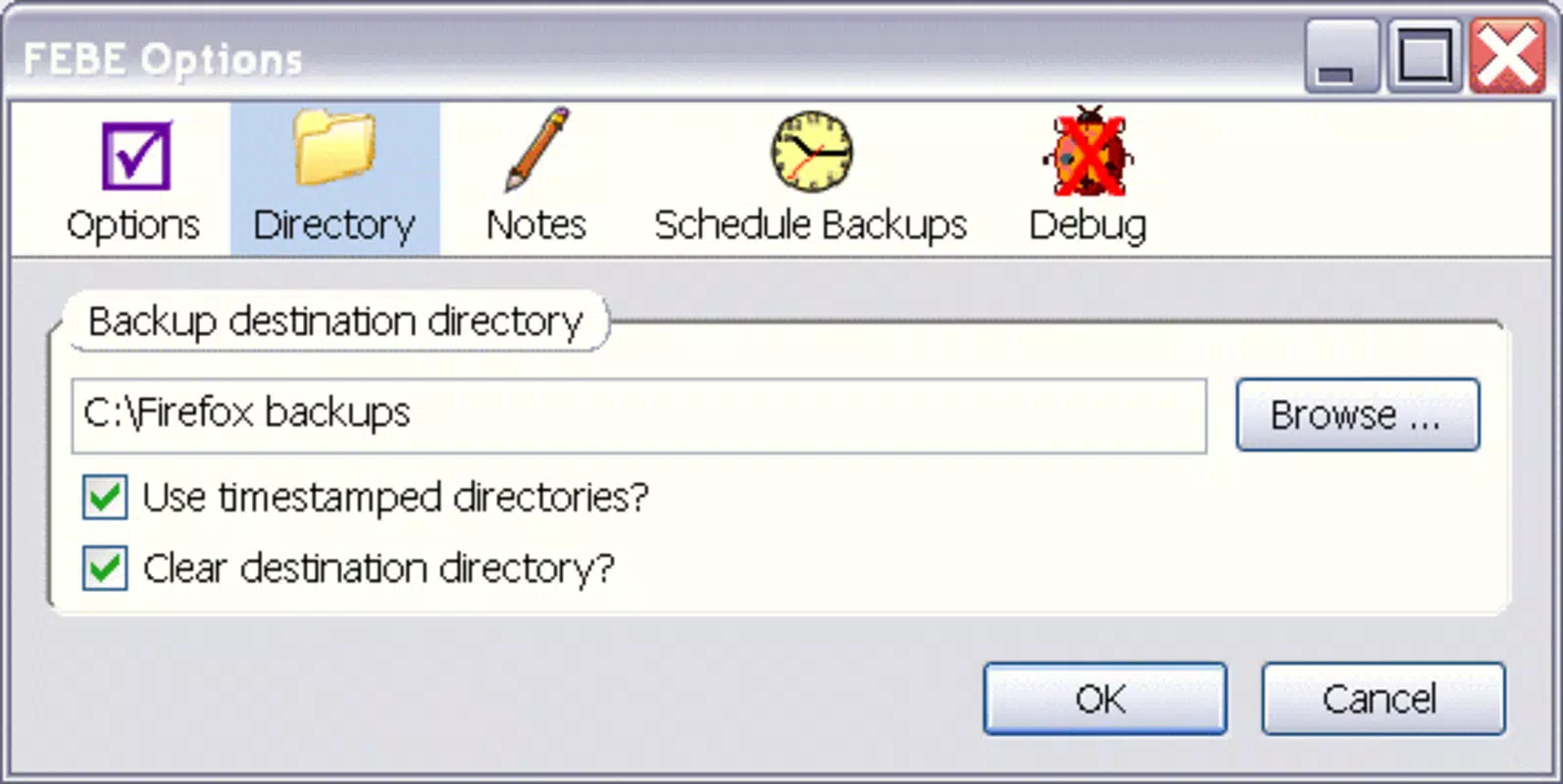
- Backup files are stored locally, requiring manual management and security
FAQ
Is the Firefox Environment Backup Extension safe to use?
Yes, the extension is designed to work within Firefox’s secure add-on framework. It does not access sensitive data beyond user-selected browser settings and does not transmit data to external servers without user consent.
Can I restore my backup on a different computer?
Yes, the backup files can be transferred and restored on any device running Firefox, provided the user has the same or compatible extension settings.
Does the extension support automatic backups?
Currently, the extension requires manual initiation of backups. There is no built-in feature for automatic or scheduled backups.
Is the extension available for mobile Firefox?
The developer did not confirm support for mobile versions of Firefox. The extension is primarily designed for desktop environments.
How do I update the Firefox Environment Backup Extension?
Updates are typically delivered through the Firefox Add-ons website. Users should check for updates manually within the Firefox add-on manager.
Final Thoughts
The Firefox Environment Backup Extension stands out as a reliable, focused tool for users who value consistency and control over their browser setup. It offers a practical solution for preserving customized Firefox environments without relying on cloud sync, making it ideal for privacy-conscious users or those with limited internet access. While it lacks automation and mobile support, its simplicity, customization options, and proven track record since 2012 make it a trusted choice for desktop users.
Whether you're a professional managing multiple workstations, a student transitioning devices, or someone who simply hates reconfiguring browsers, this extension delivers tangible value. Its lightweight design and minimal resource usage ensure it won’t slow down your browsing experience.
Download Firefox Environment Backup Extension now


